
Visitors from Thailand, Cambodia, Laos and Singapore can find participating retail QR services in Vietnam, but an international network connection is only one part of payment eligibility. This guide covers named app examples, how to review a VND purchase, reference limits and fees. It does not confirm a method for casino buy-ins, USD cash conversion or gaming tickets. Confirm the exact app, account, merchant activation and permitted transaction type before scanning. A bank or network logo is not a universal acceptance promise.
Start with the exact app and transaction
A live cross-border link does not establish acceptance for every app in a country or every type of purchase. Identify your exact wallet or banking app, the account it will debit, and whether the merchant has activated that route. Tell the cashier the intended transaction before scanning. These instructions describe permitted retail payments, not a confirmed casino funding or cash-access service.
Bangkok Bank Mobile Banking — retail scan route
1. Open the eligible bank app and tap Scan. 2. Scan the participating merchant QR. 3. Enter the amount in local foreign currency, VND, if requested. 4. Review merchant details, VND total, THB debit and conversion shown. 5. Confirm and authenticate in the app; retain the e-slip for cashier verification.
Use an eligible cross-border account. The published krungsri limits are THB 100,000 per transaction and THB 500,000 per day; other banks set their own limits. The sequence describes an eligible retail purchase. Check the actual app screen and approved merchant category rather than treating network participation as confirmation for a casino or cash-access transaction.
krungsri app — retail scan route
1. Open the eligible bank app and tap Scan. 2. Scan the participating merchant QR. 3. Enter the amount in local foreign currency, VND, if requested. 4. Review merchant details, VND total, THB debit and conversion shown. 5. Confirm and authenticate in the app; retain the e-slip for cashier verification.
Use an eligible cross-border account. The published krungsri limits are THB 100,000 per transaction and THB 500,000 per day; other banks set their own limits. The sequence describes an eligible retail purchase. Check the actual app screen and approved merchant category rather than treating network participation as confirmation for a casino or cash-access transaction.
Krung Thai Bank — eligible mobile app — retail scan route
1. Open the eligible bank app and tap Scan. 2. Scan the participating merchant QR. 3. Enter the amount in local foreign currency, VND, if requested. 4. Review merchant details, VND total, THB debit and conversion shown. 5. Confirm and authenticate in the app; retain the e-slip for cashier verification.
Use an eligible cross-border account. The published krungsri limits are THB 100,000 per transaction and THB 500,000 per day; other banks set their own limits. The sequence describes an eligible retail purchase. Check the actual app screen and approved merchant category rather than treating network participation as confirmation for a casino or cash-access transaction.
Bakong app — retail scan route
1. Open Bakong or the confirmed eligible bank app and use Scan QR/cross-border scan. 2. Scan the merchant QR and enter VND only if the app requests it. 3. Review the merchant, local amount, KHR debit/conversion and fees displayed. 4. Confirm privately in the app, then let the cashier verify receipt.
Use the supported KHR account and the app’s current cross-border feature; not every Bakong-member app is automatically equivalent. The sequence describes an eligible retail purchase. Check the actual app screen and approved merchant category rather than treating network participation as confirmation for a casino or cash-access transaction.
ACLEDA mobile Super App — retail scan route
1. Open Bakong or the confirmed eligible bank app and use Scan QR/cross-border scan. 2. Scan the merchant QR and enter VND only if the app requests it. 3. Review the merchant, local amount, KHR debit/conversion and fees displayed. 4. Confirm privately in the app, then let the cashier verify receipt.
Use the supported KHR account and the app’s current cross-border feature; not every Bakong-member app is automatically equivalent. The sequence describes an eligible retail purchase. Check the actual app screen and approved merchant category rather than treating network participation as confirmation for a casino or cash-access transaction.
| Reference | Per transaction | Per day | Per month |
|---|---|---|---|
| Other merchant channels — supplied reference | Below VND 200,000,000 | Not provided | Not provided |
| krungsri — official bank limits | THB 100,000 | THB 500,000 | Not stated in cited guide |
LAPNet participating bank app — retail scan route
1. Use the cross-border QR scan feature of a bank/app confirmed for Lao-to-Vietnam payments. 2. Scan the merchant code and check VND and LAK conversion before authorising. 3. Confirm the exact app, account and transaction type with the bank if the code is unsupported.
LAPNet is the network. Provider lists include BCEL, Lao Development Bank, Joint Development Bank and Lao-Viet Bank; confirm the specific app and Lao-to-Vietnam feature with your bank. The sequence describes an eligible retail purchase. Check the actual app screen and approved merchant category rather than treating network participation as confirmation for a casino or cash-access transaction.
LiquidPay — retail scan route
1. Open LiquidPay. 2. Choose Scan & Pay. 3. Scan the supported merchant QR. 4. Review merchant name, amount, currency, exchange rate and other displayed details. 5. Confirm payment and let the cashier verify receipt.
LiquidPay currently lists Vietnam/VietQRGlobal. This does not establish acceptance for every app, merchant or transaction type. The sequence describes an eligible retail purchase. Check the actual app screen and approved merchant category rather than treating network participation as confirmation for a casino or cash-access transaction.
Thai banking apps: a connected bank is not every account
Official sources identify Bangkok Bank, Krungsri and Krung Thai Bank as cross-border examples. A bank’s participation does not make every account or app variant eligible. Use the app’s actual overseas scan feature, check the VND amount and THB debit, and read the bank’s own limit. Krungsri publishes THB100,000 per transaction and THB500,000 per day; a higher merchant reference cannot override these limits.
Cambodian apps: check the supported account currency
Bakong and ACLEDA mobile provide documented Vietnam retail QR examples. Follow the app’s current cross-border feature and supported account requirements, including KHR where applicable. Do not assume every Bakong-member bank app has identical functions. Review the merchant, VND amount and displayed KHR debit before authorising, and keep the transaction reference for receipt verification.
Lao visitors: LAPNet is a network
A participating bank network is not a single universal consumer app. Confirm the specific Lao-to-Vietnam service with the bank, including the account, conversion and merchant activation. Bank examples in a provider list are useful starting points rather than promises that every feature works at this particular QR. An older announcement about Vietnam-to-Laos payments alone is not proof of the reverse direction.
Singapore: use currently supported services
LiquidPay currently names Vietnam/VietQRGlobal and supplies Scan & Pay guidance. Its published coverage is a retail-network fact, not approval for casino cash or tickets. Review the app’s account and verification requirements, and use its actual amount and currency screen. Support lists can change; do not rely on an old airport-wallet or general national-network list as proof that a specific app works today.
Read limits in their original currency
The merchant’s supplied reference for other channels is below VND200,000,000 per transaction, with daily and monthly figures not provided. This is a reference, not a universal wallet entitlement. Your bank may impose a lower home-currency cap. Identity, account, country and merchant rules still apply. “Not provided” is different from unlimited, and an app’s declined payment should not be treated as a technical promise of future approval.
Review merchant fees and the app’s debit separately
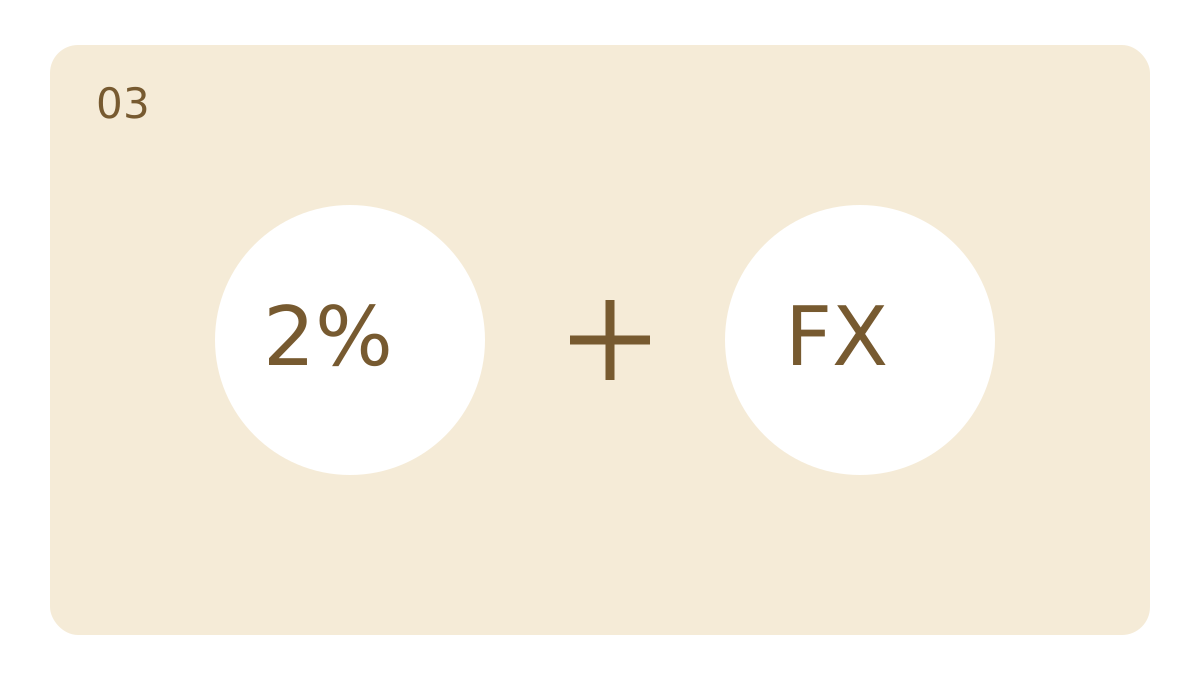
The venue’s supplied guide says the cashier quotes a final VND amount with a2% merchant fee when applicable. The payment provider may have its own conversion and charges. Review the actual home-currency total before confirming. For a dynamic QR, check the prefilled amount instead of entering it again; for an amount-entry screen, use only the cashier-confirmed VND total for the permitted purchase.
A success screen needs receipt confirmation
After authenticating privately, show the completion screen and reference to the cashier so they can verify receipt. Pending is not the same as successful. If the connection drops, check transaction history before attempting another payment. Keep the reference, amount and time for any refund enquiry; the bank, app and merchant set the actual reversal procedure. Ordinary retail QR coverage does not confirm USD cash conversion or gaming-ticket issuance.
Use the international section in Promotions
The Promotions page now groups this information by language and visitor app region. This English edition covers other-country apps rather than duplicating the Korean or Chinese lists. Ask the cashier about the exact method permitted for your intended transaction. Club admission remains a separate matter for eligible foreign passport holders aged18 and above; payment-network coverage does not establish admission or an approved gaming payment method.
Frequently asked questions
Does the national network logo mean every banking app works?
No. Confirm the exact app, account, payment direction and merchant activation. LAPNet and National ITMX are networks rather than one universal consumer app.
Can I use an Indian UPI app here?
No verified Indian-app support is claimed. In this merchant reference, UPI means UnionPay International, not India’s Unified Payments Interface.
Does QR support confirm USD cash or gaming-ticket conversion?
No. General retail connectivity does not establish authorisation for gaming or cash conversion. Provider restrictions and the approved transaction purpose must be respected.
Does “not provided” mean unlimited?
No. The reference simply does not supply that figure. Actual app, bank and merchant restrictions still apply.
References
- NAPAS · Current VietQRGlobal countries and FinViet participation · 27 October 2026
- Bank of Thailand · Cross-border payment examples · as of May 2026
- Bangkok Bank · Overseas QR payment, Vietnam
- Krungsri · Overseas QR payment and six-step instructions
- NAPAS · Cambodia Bakong-to-Vietnam QR linkage · 3 December 2023
- ACLEDA Bank · ACLEDA mobile Super App, cross-border QR countries
- Payoo · Current supported banks/apps for inbound VietQRGlobal; acquiring-provider primary list
- LiquidPay · Current supported overseas markets and Scan & Pay procedure
- Liquid Group · LiquidPay product, Vietnam/VietQRGlobal currently supported